Late was an easy machine that required enumerating a subdomain to discover a Flask application used to OCR images. The application was vulnerable to Server Side Template Injection which allowed for remote code execution. This led to ssh access where it was discovered that a script run by root was in a writeable location from the user, leading to privilege escalation.
Scanning
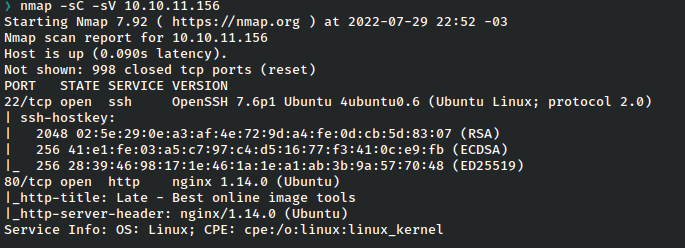
Enumeration
I began by checking out the web application as it’s the only port open other than ssh.

It’s a relatively generic page but there’s a link to a subdomain found in the source.

I went ahead and added this and late.htb to my /etc/hosts file.

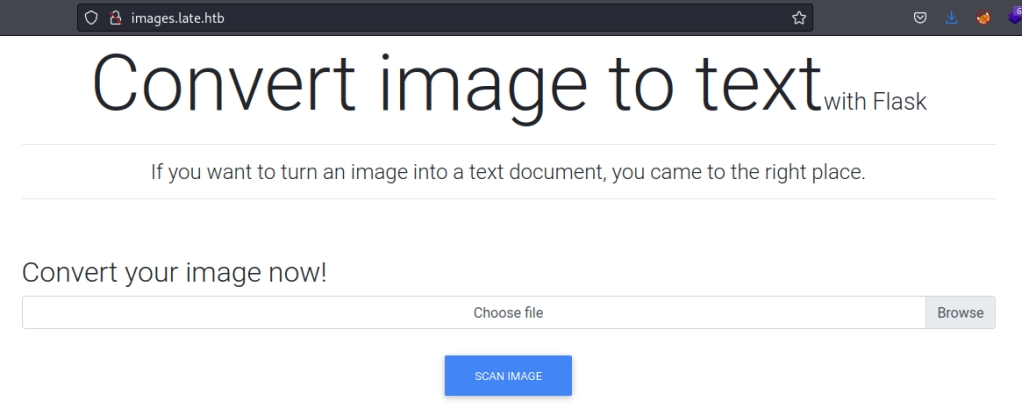
Now onto the application, I’m immediately told it’s written in Flask.
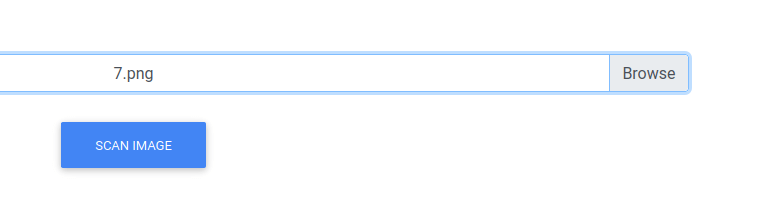
I went tried to upload something with some bad data as part of the filename just to see the response.

There’s an error, butt this is actually fairly helpful as it already gives me a username for the machine.
Exploitation – SSTI to RCE
In general, Flask applications have a few reasonable vulnerabilities I could think to look for, but usually I’ll check if SSTI is available.
Here, the only thing to test is the file upload that is allegedly converting image to text, a kind of OCR. If I can pass code to the application using this feature, it’s possible I could achieve RCE.
I went ahead and did a very generic check for SSTI with the payload {{7*7}}. A vulnerable application will return the mathematical result.
I’ll screenshot a text from LibreOffice.

And upload it.
And checking the result…
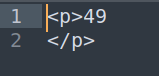
It works, so I wanted to try some RCE payloads now. Since I knew the path of the user, and SSH was open, I went ahead and tried to grab id_rsa if it was present.
This next part took forever to work. On the one hand it was quite simple in that the payload used was there on payloadallthethings, however getting the right font/color scheme to work right was hell. I must’ve tried over 50 fonts before I got one working. What worked: 24pt, Liberation Mono font in LibreOffice. All in one line.

This returned the key.

With the key in hand, I can ssh into the machine.

That worked and I have a user shell!
Privilege Escalation
After performing my normal manual enumeration I ran pspy to see any hidden cronjobs and found something interesting.

That ssh-alert.sh script is being written into a writeable path for my user.


I’ll go ahead and check out that script.
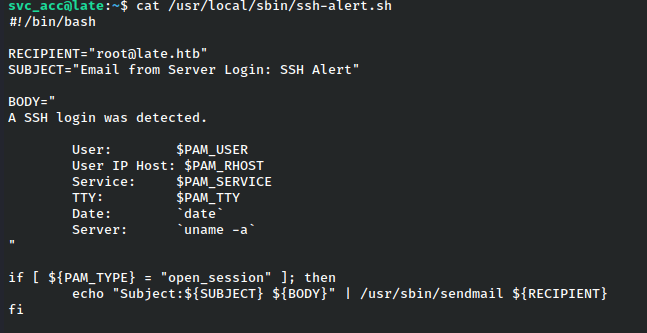
It watches for ssh logins and messages root about them.
I grabbed myself a normal reverse shell and ran pspy against while using ssh to login.

Upon login, I notice that root actually runs the script that has been copied into my user’s PATH.
Since I have write access to that file, I can simply append a reverse shell to the script and start a listener to get a root shell back.

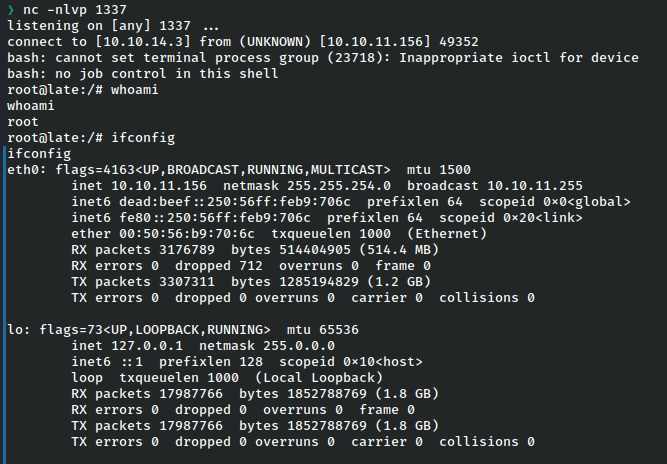
After logging out I received a reverse shell at my listener!
Remediations and Final Thoughts
- Sanitize user input and blacklist characters from applications using templates
- Disable user access to scripts run by root
This box was a bit of a downer. On the one hand, it was fairly easy, but had one of those oh-so-tedious portions in figuring out the font that would work that really had little to do with the exploitation itself and was more a sheer lesson in patience. The vector itself was rather interesting but the lack of reliability of getting there made it more a chore than a fun learning experience.
 A Cyber Journey